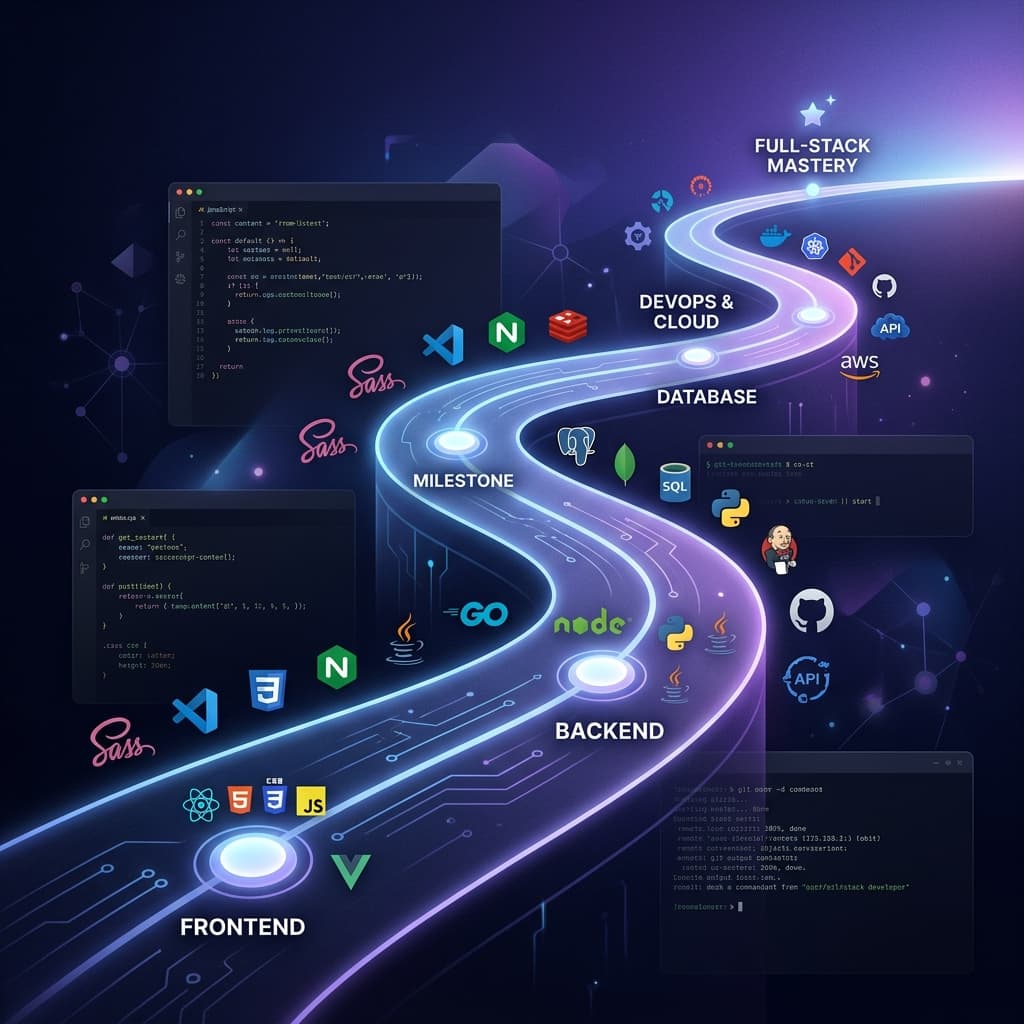

The demand for full-stack developers has never been higher, and the landscape has never been more exciting — or more overwhelming. With new frameworks, tools, and paradigms emerging every month, it's easy to feel lost about what to learn and where to focus your energy.
I've been working as a full-stack developer for several years now, and I've learned that success isn't about knowing every technology — it's about mastering the right ones and understanding how they fit together. In this roadmap, I'll break down everything you need to become a confident, job-ready full-stack developer in 2025.
The State of Full-Stack Development in 2025
Full-stack development in 2025 looks different from even two years ago. Here are the biggest shifts:
- ●TypeScript is the standard, not the exception. Most companies now require it.
- ●Server-side rendering is back, thanks to Next.js, Nuxt, and SvelteKit pushing hybrid rendering models.
- ●AI-assisted development with tools like GitHub Copilot and Cursor is accelerating productivity, but you still need strong fundamentals to use them effectively.
- ●Edge computing is becoming mainstream — deploying code closer to users for lower latency.
- ●Full-stack frameworks are blurring the line between frontend and backend.
The good news? The core fundamentals haven't changed. Master them, and you can adapt to any trend.
Phase 1: Frontend Fundamentals
Before touching any framework, you must have a rock-solid understanding of the web platform itself.
HTML5
HTML is the skeleton of every web page. Beyond basic tags, learn:
- Semantic elements (<article>, <section>, <nav>, <aside>)
- Accessibility (ARIA attributes, screen reader testing)
- Forms and validation
- SEO-friendly markup (<meta> tags, Open Graph, structured data)
CSS3
CSS is where design meets code. Master these concepts:
- Flexbox — The backbone of modern layouts
- CSS Grid — For complex two-dimensional layouts
- Responsive design — Media queries, container queries, clamp()
- Animations — Transitions, keyframes, and the will-change property
- CSS custom properties (variables) for theming
JavaScript ES6+
JavaScript is the language of the web. These features are non-negotiable:
// Destructuring
const { name, age, ...rest } = user;
// Arrow functions
const greet = (name) => \Hello, ${name}!\;
// Async/Await async function fetchData() { try { const response = await fetch("/api/data"); const data = await response.json(); return data; } catch (error) { console.error("Failed to fetch:", error); } }
// Array methods const active = users .filter((u) => u.isActive) .map((u) => u.name) .sort();
// Optional chaining & nullish coalescing const city = user?.address?.city ?? "Unknown";
// Modules import { formatDate } from "./utils.js"; export const API_URL = "https://api.example.com"; ```
Spend at least 2-3 months getting comfortable with vanilla JavaScript before jumping into frameworks. Trust me — it will make everything else 10x easier.
Phase 2: Frontend Frameworks
Once your fundamentals are solid, it's time to pick a framework. Here's my honest comparison:
React
React remains the most popular frontend library in 2025. It has the largest ecosystem, the most job postings, and industry-wide adoption.
export default function Counter() { const [count, setCount] = useState(0);
return ( <div> <p>Count: {count}</p> <button onClick={() => setCount(count + 1)}> Increment </button> </div> ); } ```
Best for: Job seekers, large-scale applications, teams that need ecosystem depth.
Next.js
Next.js builds on React and adds server-side rendering, routing, API routes, and much more. In 2025, it's the de facto standard for production React apps.
Best for: Full-stack React applications, SEO-critical sites, any serious production app.
Vue.js
Vue offers a gentler learning curve with excellent documentation. It's particularly popular in Asia and parts of Europe.
Best for: Developers who prefer a more opinionated framework, solo developers, rapid prototyping.
My recommendation: Learn React + Next.js. It gives you the widest job market access and the most complete full-stack toolkit. You can always pick up Vue or Svelte later — the concepts transfer easily.
Phase 3: TypeScript — It's Non-Negotiable
If you're not using TypeScript in 2025, you're at a disadvantage. TypeScript catches bugs at compile time, provides incredible IDE support, and makes your code self-documenting.
// Define your types
interface User {
  id: string;
  name: string;
  email: string;
  role: "admin" | "user" | "moderator";
  createdAt: Date;
// Type-safe function
function getDisplayName(user: User): string {
return \${user.name} (${user.role})\;
}
// Generic utility function findById<T extends { id: string }>( items: T[], id: string ): T | undefined { return items.find((item) => item.id === id); }
// Type-safe API response interface ApiResponse<T> { data: T; status: number; message: string; }
async function fetchUser(id: string): Promise<ApiResponse<User>> {
const response = await fetch(\/api/users/${id}\);
return response.json();
}
```
Start adding TypeScript to your projects today. Even if it feels slow at first, within a few weeks you'll wonder how you ever coded without it.
Phase 4: CSS Frameworks
Tailwind CSS
Tailwind has taken the industry by storm. Its utility-first approach lets you build UIs without leaving your HTML:
<button class="bg-blue-600 hover:bg-blue-700 text-white font-bold py-2 px-4 rounded-lg transition-colors duration-200 shadow-md hover:shadow-lg">
  Click Me
</button>Pros: Rapid development, consistent design, small production builds (PurgeCSS), highly customizable. Cons: HTML can get verbose, learning curve for utility names.
Bootstrap
Still relevant in 2025, especially for admin dashboards and internal tools. Great component library out of the box.
Vanilla CSS
Don't underestimate the power of well-written vanilla CSS with custom properties. For smaller projects, it's often all you need.
My recommendation: Learn Tailwind CSS as your primary tool, but understand vanilla CSS deeply so you can debug and customize anything.
Phase 5: Backend Development
Node.js + Express
The most natural choice for JavaScript developers. Express is minimal and flexible:
import express from "express";const app = express();
app.use(cors()); app.use(express.json());
// Define routes app.get("/api/users", async (req, res) => { try { const users = await db.user.findMany(); res.json({ data: users, status: 200 }); } catch (error) { res.status(500).json({ error: "Internal server error" }); } });
app.post("/api/users", async (req, res) => { const { name, email } = req.body;
if (!name || !email) { return res.status(400).json({ error: "Name and email required" }); }
const user = await db.user.create({ data: { name, email } }); res.status(201).json({ data: user }); });
app.listen(3000, () => { console.log("Server running on port 3000"); }); ```
Python (FastAPI / Django)
Python is excellent for AI/ML-heavy backends and data processing. FastAPI is modern and blazing fast:
from fastapi import FastAPI, HTTPExceptionapp = FastAPI()
class UserCreate(BaseModel): name: str email: str
@app.get("/api/users") async def get_users(): users = await db.fetch_all("SELECT * FROM users") return {"data": users}
@app.post("/api/users", status_code=201) async def create_user(user: UserCreate): result = await db.execute( "INSERT INTO users (name, email) VALUES (:name, :email)", {"name": user.name, "email": user.email} ) return {"data": {"id": result, **user.dict()}} ```
Other Options
- ●PHP (Laravel): Still powers a massive portion of the web. Great for rapid development.
- ●Java (Spring Boot): Enterprise favorite. Verbose but robust and battle-tested.
- ●Go: Excellent for microservices and high-performance APIs.
My recommendation: Master Node.js/Express or Next.js API routes first (since you're already using JavaScript/TypeScript). Then learn a second backend language — Python is the most versatile choice.
Phase 6: Database Mastery
SQL Databases
PostgreSQL is the gold standard for relational data. Learn: - Table design and normalization - JOINs (INNER, LEFT, RIGHT, FULL) - Indexes for performance - Transactions and ACID compliance
-- Example: Blog schema
CREATE TABLE users (
  id SERIAL PRIMARY KEY,
  name VARCHAR(100) NOT NULL,
  email VARCHAR(255) UNIQUE NOT NULL,
  created_at TIMESTAMP DEFAULT CURRENT_TIMESTAMP
CREATE TABLE posts ( id SERIAL PRIMARY KEY, title VARCHAR(200) NOT NULL, content TEXT, author_id INTEGER REFERENCES users(id), published BOOLEAN DEFAULT FALSE, created_at TIMESTAMP DEFAULT CURRENT_TIMESTAMP );
-- Query with JOIN SELECT p.title, p.created_at, u.name AS author FROM posts p JOIN users u ON p.author_id = u.id WHERE p.published = TRUE ORDER BY p.created_at DESC LIMIT 10; ```
Use an ORM like Prisma (TypeScript) or Drizzle to interact with SQL databases in a type-safe way.
NoSQL Databases
MongoDB is the most popular NoSQL option, ideal for: - Flexible schemas that evolve rapidly - Document-oriented data (blog posts, user profiles) - Prototyping and MVPs
Firebase Firestore is excellent for real-time apps and when you want a fully managed backend.
When to use which? - Need complex relationships? → PostgreSQL - Need flexibility and rapid iteration? → MongoDB - Need real-time sync? → Firebase - Not sure? → Start with PostgreSQL — you can always add NoSQL later
Phase 7: API Design
REST
The standard for most web APIs. Follow these conventions:
- GET /api/users — List all users
- GET /api/users/:id — Get a specific user
- POST /api/users — Create a user
- PUT /api/users/:id — Update a user
- DELETE /api/users/:id — Delete a user
GraphQL
Query exactly the data you need. Great for complex frontends with varying data requirements:
query GetUserWithPosts {
  user(id: "1") {
    name
    email
    posts(limit: 5) {
      title
      createdAt
    }
  }
}
tRPC
Type-safe APIs without code generation. Perfect for full-stack TypeScript apps:
// Server
const appRouter = router({
  getUser: publicProcedure
    .input(z.object({ id: z.string() }))
    .query(async ({ input }) => {
      return db.user.findUnique({ where: { id: input.id } });
    }),
// Client — fully typed, no API schema needed! const user = await trpc.getUser.query({ id: "1" }); ```
My recommendation: Master REST first (it's universal), then learn tRPC for TypeScript projects. Use GraphQL when your data relationships are complex.
Phase 8: Authentication & Authorization
Security is not optional. Understand these approaches:
- ●JWT (JSON Web Tokens): Stateless authentication, great for APIs and SPAs
- ●OAuth 2.0: "Sign in with Google/GitHub" — essential for modern apps
- ●Session-based: Traditional approach using cookies, still valid and secure
- ●Passwordless: Magic links or OTP-based authentication
Use battle-tested libraries like NextAuth.js (Auth.js), Clerk, or Lucia instead of rolling your own auth. Authentication is one area where you really don't want to reinvent the wheel.
Phase 9: DevOps Essentials
You don't need to be a DevOps engineer, but you should understand:
Docker
Containerize your apps for consistent environments:
FROM node:20-alpine
WORKDIR /app
COPY package*.json ./
RUN npm ci --only=production
COPY . .
RUN npm run build
EXPOSE 3000
CMD ["npm", "start"]
CI/CD
Set up automated testing and deployment with GitHub Actions:
name: Deploy
on:
  push:
    branches: [main]
jobs:
  deploy:
    runs-on: ubuntu-latest
    steps:
      - uses: actions/checkout@v4
      - uses: actions/setup-node@v4
        with:
          node-version: 20
      - run: npm ci
      - run: npm run test
      - run: npm run build
      - name: Deploy to Vercel
        run: npx vercel --prod --token=${{ secrets.VERCEL_TOKEN }}
Cloud Platforms
- ●Vercel: Best for Next.js and frontend deployments (free tier is generous)
- ●AWS: Industry standard, offers everything but has a steep learning curve
- ●DigitalOcean: Simpler than AWS, great for VPS and managed databases
- ●Railway / Render: Modern PaaS options that are developer-friendly
Phase 10: Version Control & Collaboration
Git is non-negotiable. Master these commands:
# Daily workflow
git checkout -b feature/new-feature
git add .
git commit -m "feat: add user authentication"
# Useful commands git stash # Save uncommitted changes git rebase main # Rebase feature branch git log --oneline -10 # View recent history git cherry-pick <commit> # Apply specific commit ```
Learn to write good commit messages (use Conventional Commits), create meaningful pull requests, and conduct constructive code reviews. These collaboration skills are as valuable as technical skills.
Phase 11: Testing
Testing separates professional developers from hobbyists.
- ●Unit Tests (Jest/Vitest): Test individual functions and components
- ●Integration Tests: Test how modules work together
- ●End-to-End Tests (Playwright/Cypress): Test complete user workflows
// Example: Unit test with Vitest
import { describe, it, expect } from "vitest";
describe("formatCurrency", () => { it("formats USD correctly", () => { expect(formatCurrency(1234.5, "USD")).toBe("$1,234.50"); });
it("handles zero", () => { expect(formatCurrency(0, "USD")).toBe("$0.00"); });
it("handles negative values", () => { expect(formatCurrency(-50, "USD")).toBe("-$50.00"); }); }); ```
Aim for at least 70-80% code coverage on business logic. Don't test implementation details — test behavior.
Phase 12: Soft Skills
Technical skills get you in the door. Soft skills determine how far you go.
- ●Communication: Learn to explain technical concepts to non-technical stakeholders. Write clear documentation and meaningful PR descriptions.
- ●Problem-solving: Break complex problems into smaller, manageable chunks. Practice with LeetCode or HackerRank, but don't obsess — real-world problem-solving is what matters.
- ●Time management: Use techniques like Pomodoro or time-blocking. Learn to estimate tasks accurately and communicate proactively when deadlines are at risk.
- ●Continuous learning: Dedicate at least 30 minutes daily to learning. Follow developers on Twitter/X, read technical blogs, watch conference talks.
Building a Portfolio That Stands Out
Your portfolio is your resume in action. Here's what makes it memorable:
- Showcase 3-5 quality projects — Better than 20 mediocre ones
- Include a variety: A full-stack app, a frontend project, an API, maybe an open-source contribution
- Write case studies: Explain the problem, your approach, technical decisions, and results
- Deploy everything: Dead links and localhost screenshots don't impress anyone
- Show your code: Link to GitHub repos with clean, well-documented code
- Blog about what you learn: Writing solidifies knowledge and demonstrates expertise
The best portfolio projects solve real problems. Build something you'd actually use — that passion and utility will shine through.
Conclusion: Your Action Plan
Feeling overwhelmed? Here's a realistic timeline:
Months 1-2: HTML, CSS, JavaScript fundamentals Months 3-4: React + TypeScript Month 5: Next.js + Tailwind CSS Month 6: Backend (Node.js/Express) + PostgreSQL Month 7: Authentication, API design, deployment Month 8: Docker, CI/CD, testing Months 9-10: Build 2-3 portfolio projects Months 11-12: Polish portfolio, start applying
Remember — you don't need to learn everything on this roadmap to get your first job. Focus on depth over breadth. A developer who deeply understands React, TypeScript, Node.js, and PostgreSQL will always be more valuable than someone who has surface-level knowledge of 15 different technologies.
The journey to becoming a full-stack developer is a marathon, not a sprint. Be patient with yourself, build consistently, and never stop being curious.
You've got this. Now go build something amazing!
Comments
0 comments
Leave a Comment